


LightingThere are 2 main types of lighting are often used by photographers, namely:High Key is a scene that looks more inclined to bright. The
effects of high key lighting is relatively little a shadow, but it is
important also some dark parts as that is not an indication that the
high key over exposed.Low
Key is the opposite, just the part - the part that subjects given
sufficient light, while the - the other in the dark shadows. It
often happens also to get the misconception that low key effect is to
make the under-exposed, the correct ratio is the ratio between dark and
light.Lighting has several functions, among others:Key Light, is the main source of light for a certain character somewhere in the scene. If the object moves then use some key light
Tampilkan postingan dengan label produktif. Tampilkan semua postingan
Tampilkan postingan dengan label produktif. Tampilkan semua postingan
Senin, 03 Desember 2012

Selasa, 27 November 2012
how to create a title using the template
Adobe Title Designer provides many templates that we can use to make a good title instantly. To use a template how:
1. Click the Templates button located on the top of the Adobe Title Designer window

1. Click the Templates button located on the top of the Adobe Title Designer window

how to make a tittle use adobe tittle designer
Adobe Premiere Pro provides the facility to create a title using the Adobe Title Designer tool. Adobe Title Designer is a standard titling facility that has many tools and templates that we can use to create a title and logo in accordance with our creative ideas.
making Title
To create a title using the Adobe Title Designer following steps:
1. Arrange a clip into the Timeline window and place it on Video Track 1, the clip is what will be used as a background title.
making Title
To create a title using the Adobe Title Designer following steps:
1. Arrange a clip into the Timeline window and place it on Video Track 1, the clip is what will be used as a background title.
How to record analog audio
Analog Audio Recording
Adobe Premiere Pro has been providing analog audio recording facility, so we do not need to use other software to record analog audio. Here are the steps:
1. Plug the microphone jack into the sound input port on the sound card.
2. Then the audio hardware settings using the option Edit> Preferences> Audio Hardware.
3. Then the Preferences dialog box will appear, if the sound card is installed with both the name of the sound card drivers will be listed here. Then click
Preparing the way into the Timeline Clip
Preparing Clip
into the Timeline
After the clip-clip that we use is imported, then the next step is to set up the clip-clip into the Timeline. We can directly drag and drop the clip-clip that is in the Project Window into the Timeline window-clip if the clip does not require trimming process. Similarly clip that has undergone trimming, we can directly drag and drop the video that appears on the Source Monitor window after trimming. But we can also use the Insert method to insert and overlay clip trimming results in the Timeline window.
Methods Insert and Overlay Method
After trimming to determine the In Point and Out Point on one video clip then we will practice using the Insert and Overlay and see the
import the clip and do the trimming
Usually after adjust settings and capture the project at the beginning of the project, the next steps are:1. Importing clip2. Conducting the election scene (the trimming)3. Preparing clip into the Timeline Window4. Provide Transition5. Effect Video6. Doing Transparency / superimpose7. Doing Animation8. Giving Title9. Exporting MovieImporting ClipClip
is the name for the files that can be used in the
Senin, 26 November 2012
Gives steps Audio Effects
Audio
effects
Adobe Premiere Pro provides many audio effects to be applied to the audio clip, such as Balance, Bandpass, Bass, Channel Volume, DeNoiser, Delay, Dynamics, EQ, Fill Left, Fill Right, highpass, Invert, Lowpass, MultibandCompressor, Multitap Delay, Notch, parametric EQ, PitchShifter, Reverb, Swap Channels, Treble, and Volume.
Giving Audio Effects
The easiest way to apply is to the effect:
1. Select the audio clip in the Audio Track in the
steps to make the transition to an audio clip
Transition
Audio / Crossfade
As with video, audio clips can also be given a transition. The function of the audio transition is to make a smooth transfer to the transfer audio clip. Here are the steps to make the transition to the audio clip:
1. Arrange a fruit that has a audio video clip in the Timeline window.
2. Then set a longer clip but for its location overlaps with the first clip to give time to the audio transitions.

Giving Effect On Video Clip
Giving
Effect On Video Clip
This time I will try to apply video effects on a clip in the Timeline window, before entering the training then we have to prepare project first. preparation Exercise
In practice gives transitions used DV-PAL project settings Standard 48 KHz, then import the video clip with three file format *. Avi. The *. Avi can be obtained from the capture digital video camera or from other sources. Can also be used two clips with image formats (BMP and JPG file format) for practice. The most important thing when we use the setting DV-PAL Standard project, the size of the frame (frame size) used video and image is 720 x 576 pixels. In this exercise, the third video clip has been combined with a given transition. Then the video will be the effect on one such clip.
Giving Effect Video
video production process
Currently, we
assume that we already have a title of the story, such as "Marriage
Vishnu and Ema", "Herbal Company Profile Axe Death Cap", or "Great
Adventure MatMitMut: About Hell Hell", or we make a short video for Web
consumption, interests of the industry or training presentations,
television commercials, feature films, or just a personal project, then
all processes carried out above actually have in common. Figure 1.8 illustrates the stages in the
production process of digital video in general, with the picture then it
will be clear layout and job functions in the production process of
video editing digital video. If we look at the production process flow
chart of digital video, it appears that there is a time overlap stages,
digital video production process is actually not necessarily the same as
the flow chart, but we can adapt a series of work in accordance with
the customs, or the style of our work, because every
person must have a working style is different.Editing Video
Senin, 22 Oktober 2012
Scrip Writer
Script Writer
Understanding Script
Writer
Definition editor /
Writer Script according to Indonesian Dictionary of the people who edited the
manuscript or article to be published in magazines, newspapers, etc., while
understanding the scenario is the plan of a play or film script of a scene
after scene is written in detail.
Thus, the general understanding script scenario writer or editor is in
charge of editing scripts to be produced by a company or a film producer. Scenario in the sense here is the scenario
for the film, whether presented in a series on television (soap opera) as well
as screenplays for feature films. Scenarios to play the play is not covered
here because it's not working areas Script Writer in a production house (PH) or
film production house.
storyboard explanation
Explaining
Storyboard
Storyboard is another way to explore the possibility of narrative or to
train an appearance. Parents say that "a picture can explain a thousand
words" is very suitable for storyboarding.
In general, the making of films, comic books and animation, a script was
developed before the storyboard created. Lighting the story does not always
require Generally, the making of the film, comic books and animation, a script
was developed before the storyboard created. Lighting the story does not always
require a complete script to take advantage in the process of storyboarding. But
we must have stories and stories that have a strong concept. A good storyboard
can help us understand a story that is unusual or facilitate the development of
the original story.
Minggu, 21 Oktober 2012
PROJECT PROPOSAL FILM PRODUCTION PENDEKFIKSI "POINT TOWARDS THE LIGHT"
MUKADIMAAlready since 2004 the birth of his film work (read: short film) in Pinrang.Since then, a short film in the realm of Pinrang continues to grow and reap the achievements up to the national level.
SMK Negri 1pinrang is part of the history of cinema in Pinrang. Since 2006, students of SMK-Pinrang oldest of these short films produced work that can speak outside the area.
SMK Negri 1pinrang is part of the history of cinema in Pinrang. Since 2006, students of SMK-Pinrang oldest of these short films produced work that can speak outside the area.
Sabtu, 20 Oktober 2012
steps to make proposals
1. Title pageContains
the name / title of the activities, the location and time of the
activity, and the organizers who took the initiative to plan activities2. BackgroundContains the reason "why" the activity plannedThe
background usually contains 3 parts: the introduction, the content, and
the concluding part of the sentence pattern of sentences / phrases into
the general intent / specific intent3. Destination ActivitiesContains excuse "for what" activities are plannedDestination can consist of a minimum of 1 or more consecutive goals from the goals most important to the least important goal4. Name and Theme ActivitiesContains the name / title of the activities and themes raised in the activitiesExample:- Name of the activity: "The Healthy Urban Environment Competition Sukomakmur 2011"- Theme activity: "Clean Environment, Healthy People"5. Form ActivityContains about formatting / presentation forms of activitiesExample: with the theme "Clean Environment, Healthy People", the activities such as:1.Lomba Healthy Environment2.Lomba Make Toga Park3.Penyuluhan Environmental Health4.Penyemprotan Dengue MosquitoesEtc.6. ParticipantContains information about the "who" will participate in the activitiesPeople who become participants in accordance with the segments / types of activities planned7. Organizer- Contains a description of who the event organizers.- Usually the organizers this is a group of organizations who want to implement or set of activities for a reason- The organizers of this section should also display the name and contact number or secretariat can be contacted8. Schedules and Locations ActivityContains a description of "when and where" the activities will be carried out9. Composition of Events- Contains a description of the structure of the event / activity implementation from the start to finish.- Can be displayed in tabular format table columns as needed (No, Time, Event, Executive, etc..)-
In an event that uses the speaker, before the preparation of the event
needs to be done to confirm the adjust the time and duration of each
session talks10. Composition of Committee- Contains arrangement of committees that have been formed- The composition of the committee is shown so that the reader can have a clear data with anyone it would work.11. Budget Plan- Contains details of income, expenditure and funding requirements are still needed- Compiled by a simple but still using the principle of the preparation of the financial12. Cover- Contains sentences expressed the hope that many people can be attracted to support the activities.- Signed by the Chief Executive / Chairman of the Committee and to know Responsibility activities
Jumat, 19 Oktober 2012
how to easily fix the hard drive
This is how to easily fix the damaged hard drive:
Level 1At this level usually caused by bad sectors. There are several ways to handle it. But it must be adapted to the brand and the number of bad sectors hard drive.1. For the initial handler can use the command FORMAT C :/ C (adjust the drive you want to format). / C use to mebersihkan cluster that is broken.2. If not successful can use the Disk Manager program from each of the hard drive manufacturer.3. If still tetep also HDDREG friend can use the software, please nanya to the champion and download the program.4. If tetep recalcitrant try with a way Low Level Format or Zero File.5. Finally
Level 1At this level usually caused by bad sectors. There are several ways to handle it. But it must be adapted to the brand and the number of bad sectors hard drive.1. For the initial handler can use the command FORMAT C :/ C (adjust the drive you want to format). / C use to mebersihkan cluster that is broken.2. If not successful can use the Disk Manager program from each of the hard drive manufacturer.3. If still tetep also HDDREG friend can use the software, please nanya to the champion and download the program.4. If tetep recalcitrant try with a way Low Level Format or Zero File.5. Finally
How to Restore Lost Disk Partitions in Windows 7/XP
TestDiskTestDisk is OpenSource software and is licensed under the GNU General Public License (GPL).
TestDisk is a data recovery software is very good and it's free! Software is designed to help recover lost partitions or make non-booting disks bootable again when these symptoms are caused by faulty software, certain types of viruses or human error (such as accidentally deleting Partition Table). Partition table recovery using TestDisk is very easy to use.
TestDisk is a data recovery software is very good and it's free! Software is designed to help recover lost partitions or make non-booting disks bootable again when these symptoms are caused by faulty software, certain types of viruses or human error (such as accidentally deleting Partition Table). Partition table recovery using TestDisk is very easy to use.
Selasa, 16 Oktober 2012
Understanding Hardware and Software
Definition of Software and Hardware together with example.Many theories about the hardware and software but for me understanding the following:Hardware is hardware and software is software. That translation. But we can also interpret as follows:Hardware / Hardware is a tool / object that we can see, touch, hold and has a specific function. Physically there may be. There is a shape.Hardware device consists of three types, namely:1. Input device (input device)Function
input device to enter data, either text, pictures, and images into
komputer.Contoh input devices such as keyboard, mouse, light-pen,
scanner, and so on.2. output device (output device)the output device used to collect and produce data that is released, such as monitors and printers.3. The device data processor (Processor)Data
processing device used to process the data data.Pengolah includes a
central processing unit (CPU / Central Processing Unit) and also
microprocessors.Various kinds of hardware (hardware):1. CPU (Central Processing Unit)It
is a
proposal: the terms of the contract
TERMS OF CONTRACT MUST MEET THE FOLLOWING ELEMENTS:
1. A description of the wage and perfakturan policy. For example, a few percent to be paid upfront, how on certain milestones, and how much on shipping.
2. Your policy regarding the dismissal of the client and the cost of the change order.
3. Your policy on the cost of outside budget for travel, telephone, courier services, and so on.
4. Your policy relating to licensing fees for third-party capital and run-time specific driver (paying client).
5. Specific statement as to who will have what has been done in the project. You may want to keep the rights to show the parts of the work for your own promotional purposes and re-use of code and algorithms in other parts of the project that you develop.
6. Guarantee the client that you will not divulge the information owner.
7. The right to display your appreciation in the job.
8. Your rights are limited to working on other clients.
9. Rejection of shortages and damages arising out of work.
SAMPLE CONTRACT (DO NOT USE WITHOUT PROPER LEGAL ADVISOR)
steps to make animated green grass
1. Open macromedia flash 8 program
Change the size of the stage to be 768 x 576 pixels.
Change the color to the color blue bacground # 0099FF
2. 4 layer is created with the name: green grass, poles, box name, the sun
3. Click on the green grass in the layer rectangle tool, to make the green grass by dragging to the stage as shown below.

4. Click on frame 1 in the layer: the pole and use the rectangle tool again to make the pole direction,
after the making of the poles for the administration and direction of the pole lines use line tool after it hit the F8 key and
Senin, 15 Oktober 2012
steps to make animated car
steps:
• Make the background layer and then draw a rectangle that meets the stage, give a blue color with shades (use GRADIENT TRANSFORM TOOL or press the (f)). In addition we can also add the image path. This is for our use as a background or a background image so that the animation look more beautiful.
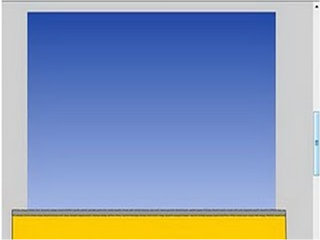
after that , lock the background layer by using the LOCK / UNLOCK Layers to make easier for other objects.
• Create a new layer named layer "car". In frame 1 layer draw a car without wheels cars using existing tools. For a while the car because
Langganan:
Postingan (Atom)

